AI on your wrist
Ask a question on Apple Watch, read a formatted reply, or listen with Read Aloud. Open a fresh chat from your watch face and continue selected iPhone conversations on your wrist.
Set up Apple Watch
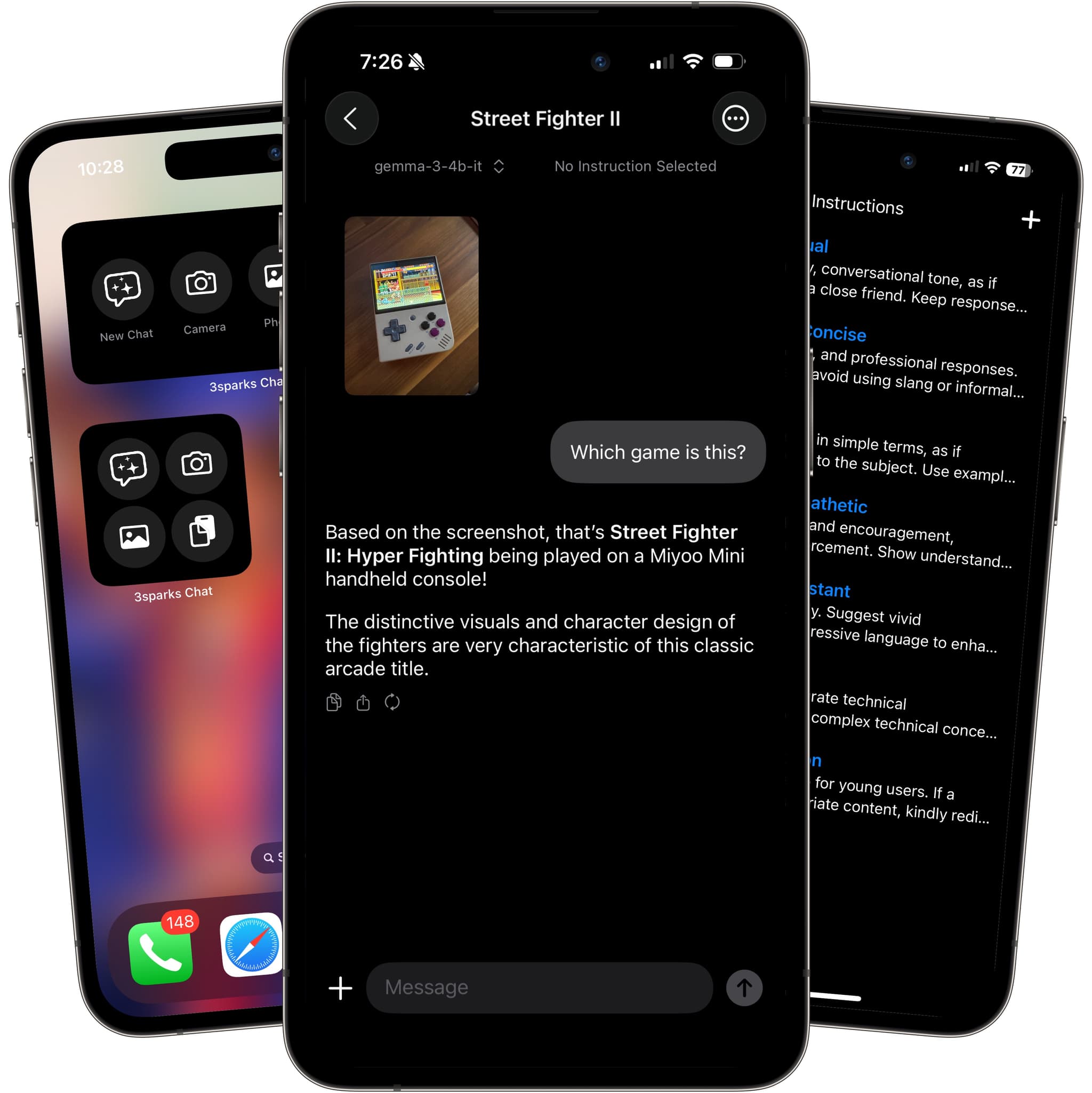
Run supported AI models on your device, connect to LM Studio or Ollama, or choose a cloud provider. Version 3.3 brings your conversations to Apple Watch and adapts to iPhone Duo, with new ways to branch, summarize, and share your chats.

New in 3.3
More places to chat. More ways to continue a good idea.
Ask a question on Apple Watch, read a formatted reply, or listen with Read Aloud. Open a fresh chat from your watch face and continue selected iPhone conversations on your wrist.
Set up Apple WatchMove between Duo’s outer and unfolded screens with layouts that adapt. Enjoy more room for recent chats and navigation, plus improved iPad and iPhone landscape layouts.
Explore Duo and iPad layoutsBranch from a message with the context, connection, and model you choose. Or review an AI summary and use it to start a fresh chat, with a link back to the original.
Branch or summarize a chatExport a whole conversation or one message as Text, Markdown, or HTML. Preview the file and choose which attachments, reasoning, timestamps, and other details to include.
Explore chat exportsYour models. Your choice.
A flexible mobile AI workspace for private local models, connected cloud providers, reusable prompts, documents, and fast writing tools in every app.
01
Choose a recommended starter model or download a supported GGUF model and chat on your device without a server or API key.
02
Chat with images using vision-capable local GGUF models or remote providers that support image input.
03
Let chats recall useful context from past conversations and saved documents on your device.
04
Connect to LM Studio, Ollama, and other OpenAI-compatible local servers alongside cloud APIs.
05
On iOS 26, leave the app mid-reply and come back to a finished answer, with a system indicator tracking it.
06
Rewrite, summarize, translate, and run saved prompts from Messages, Mail, Notes, and other apps.
07
Bring PDFs, documents, and images into your chats so answers can use the material you provide.
08
Browse the supported catalog or paste any public model ID or URL, then keep downloads moving in the background.
09
Save chats, use custom instructions, share into the app, and sync between iPhone and iPad with iCloud.
Run models on your device, connect to LM Studio or Ollama servers, or use the cloud APIs you already trust:
 On-device GGUF
Download supported models and run chats privately on your phone
Rewrite, summarize, translate, and run your saved prompts without leaving the app where you are typing.
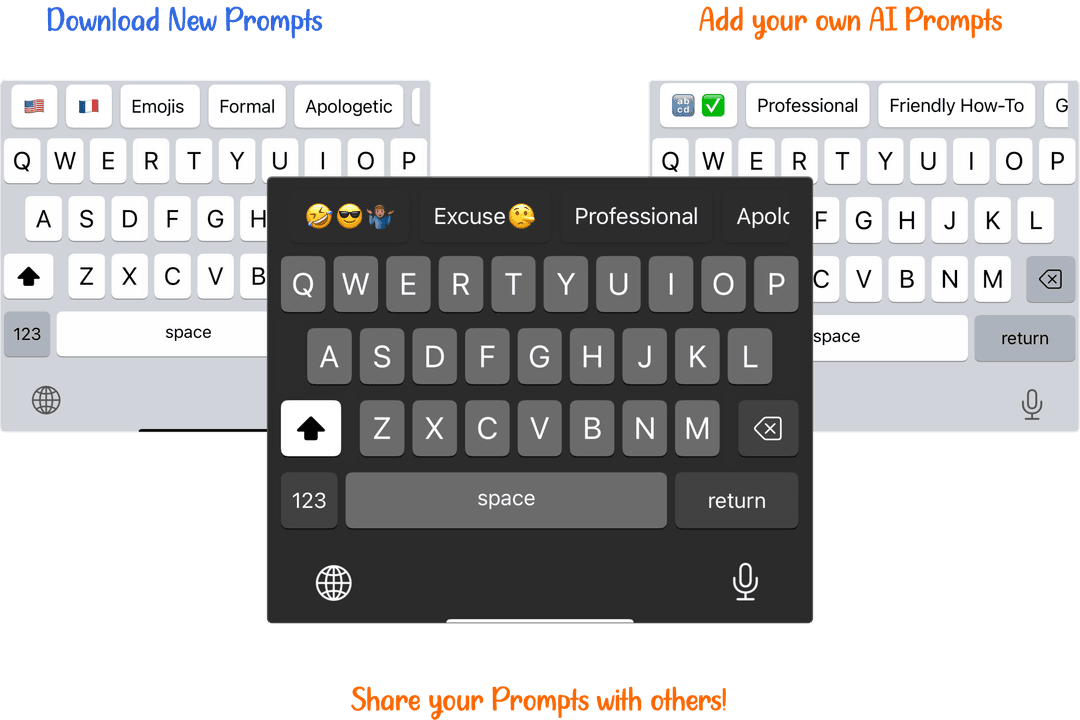
A collection of prompts optimized for the AI Keyboard Extension included in 3sparks Chat.